Candid Cam

Wedding photo sharing app

The wedding photo sharing app guests do not need to download.

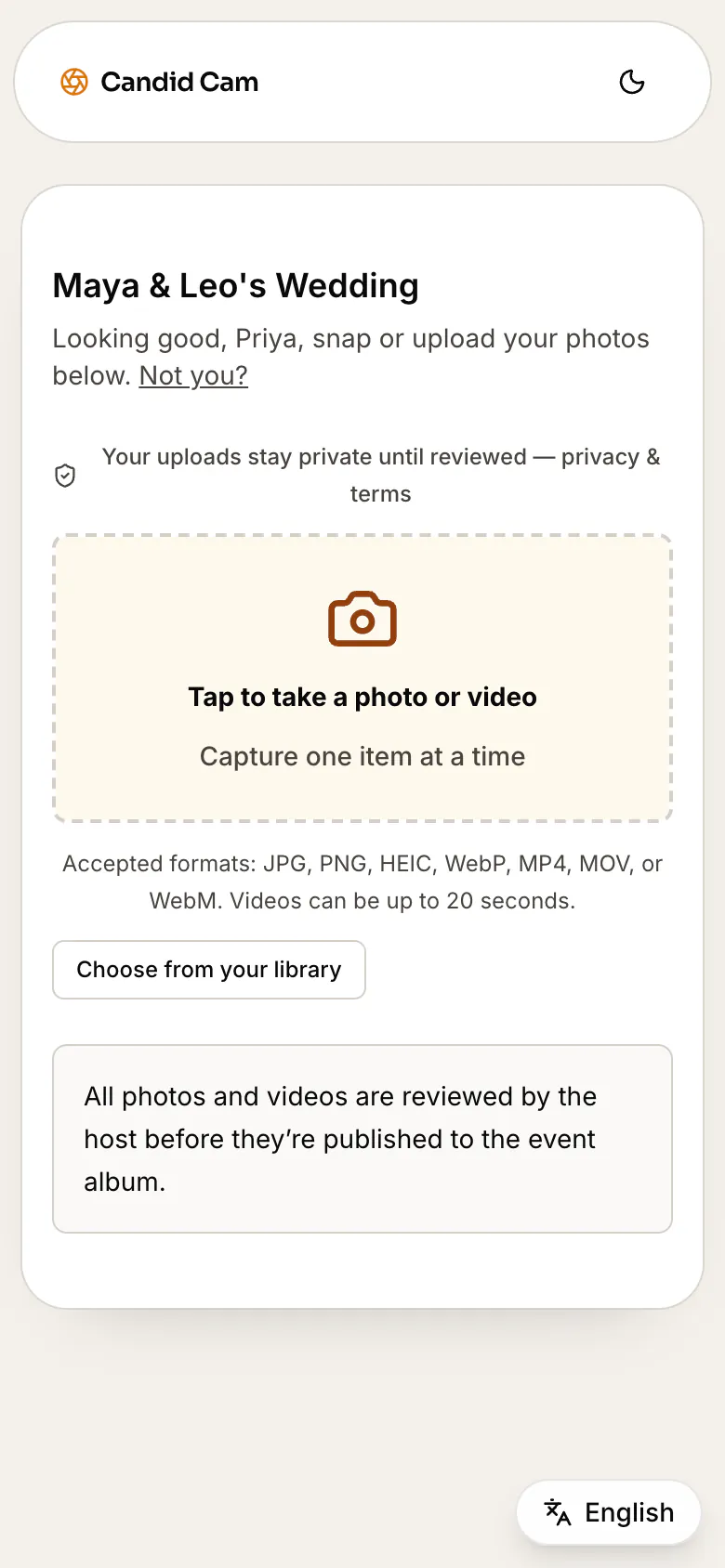
Candid Cam gives couples a no-app wedding photo sharing flow: one QR code, browser upload for guests, photos and videos in one private queue, and a curated album to share after the wedding.

Free to set up. Activate the live guest QR when the wedding is ready.

Wedding upload

Scan to share

No app needed

Guests upload from any phone

Photos and videos arrive together

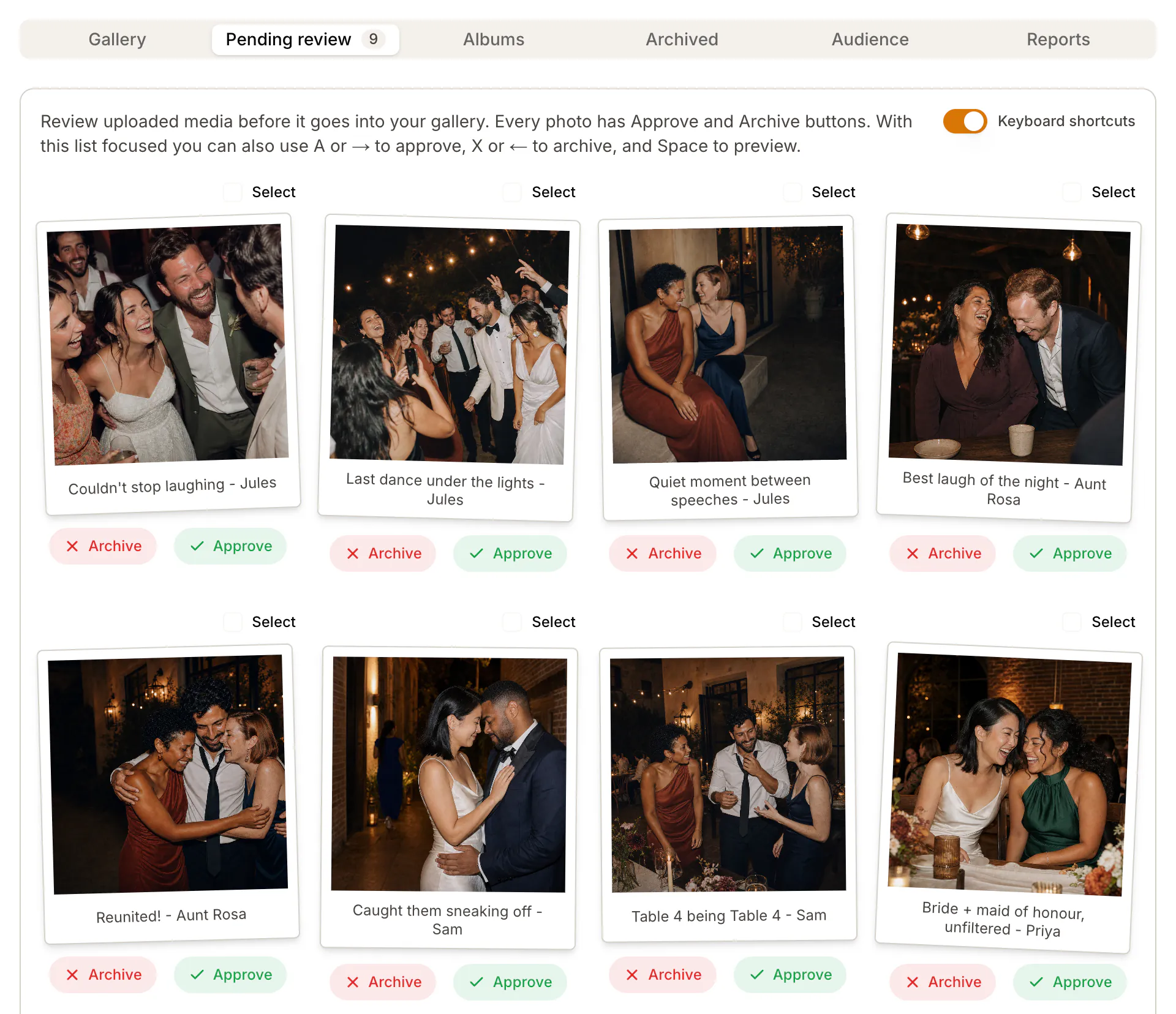
Host approves the final album

Compare options

The app is only useful if guests actually upload.

Wedding photo sharing tools all promise the same outcome, but the guest path is different. Compare what happens when the upload flow depends on a download, a shared folder, a hashtag, a group chat, or a QR code.

Guest app download

Works when: Can feel polished for couples who want a dedicated app.

Breaks when: Guests often ignore downloads at the reception, especially older relatives or one-off guests.

Best only if your crowd is already willing to install something.

Shared drive folder

Works when: Familiar for couples who already use cloud storage.

Breaks when: Permissions, account prompts, mixed folders, and missed videos can make collection messy.

Useful for DIY storage, weaker as the guest-facing wedding flow.

Group chat

Works when: Easy to start and works for a small wedding party.

Breaks when: Photos get compressed, buried in messages, and scattered across different chats.

Good for reminders, not as the final album system.

Wedding hashtag

Works when: Simple to mention on signs and speeches.

Breaks when: Requires public posting, misses private camera-roll photos, and depends on guests using social media.

Better for discovery than collecting a complete private album.

No-app QR upload

Works when: Guests scan, open the browser, and upload photos or videos without creating an account.

Breaks when: Still needs visible signage and a day-after reminder to catch late uploads.

The strongest fit when the goal is more guest photos with less friction.

No-app upload flow

Use a QR code as the front door, not the whole strategy.

A strong wedding photo sharing app should help before, during, and after the event. Pair the upload page with clear QR sign wording, table cards, and a next-morning reminder so guests can send photos from their camera roll after the party.

01

Create one wedding upload page

Set up the album before the wedding and use one link everywhere: signs, table cards, wedding website, and thank-you texts.

02

Let guests scan or tap

Guests use their phone camera or the plain link under the QR code. No app store, no login, no account creation.

03

Collect photos and videos

Guest-shot moments land in one private queue instead of being scattered across chats, drives, and social posts.

04

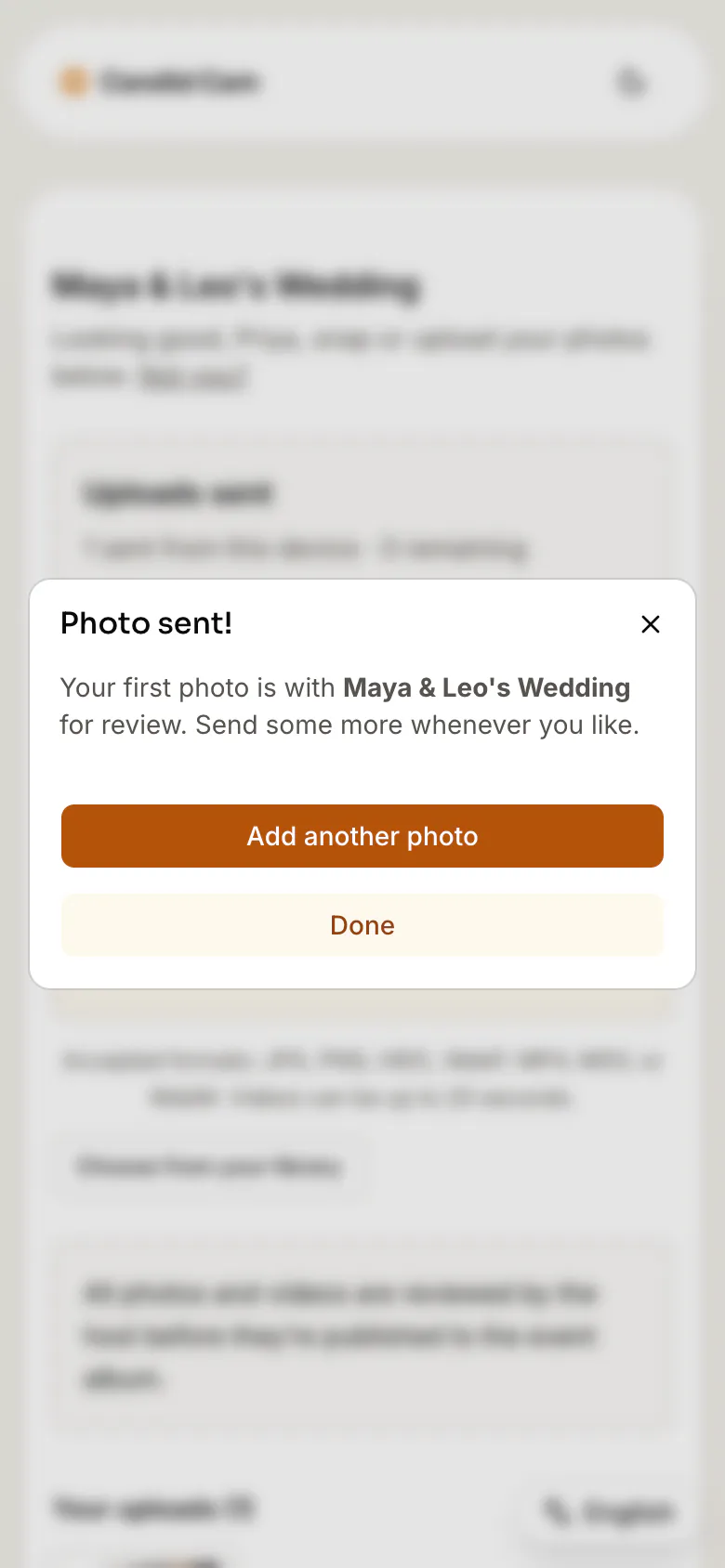
Review before the album goes out

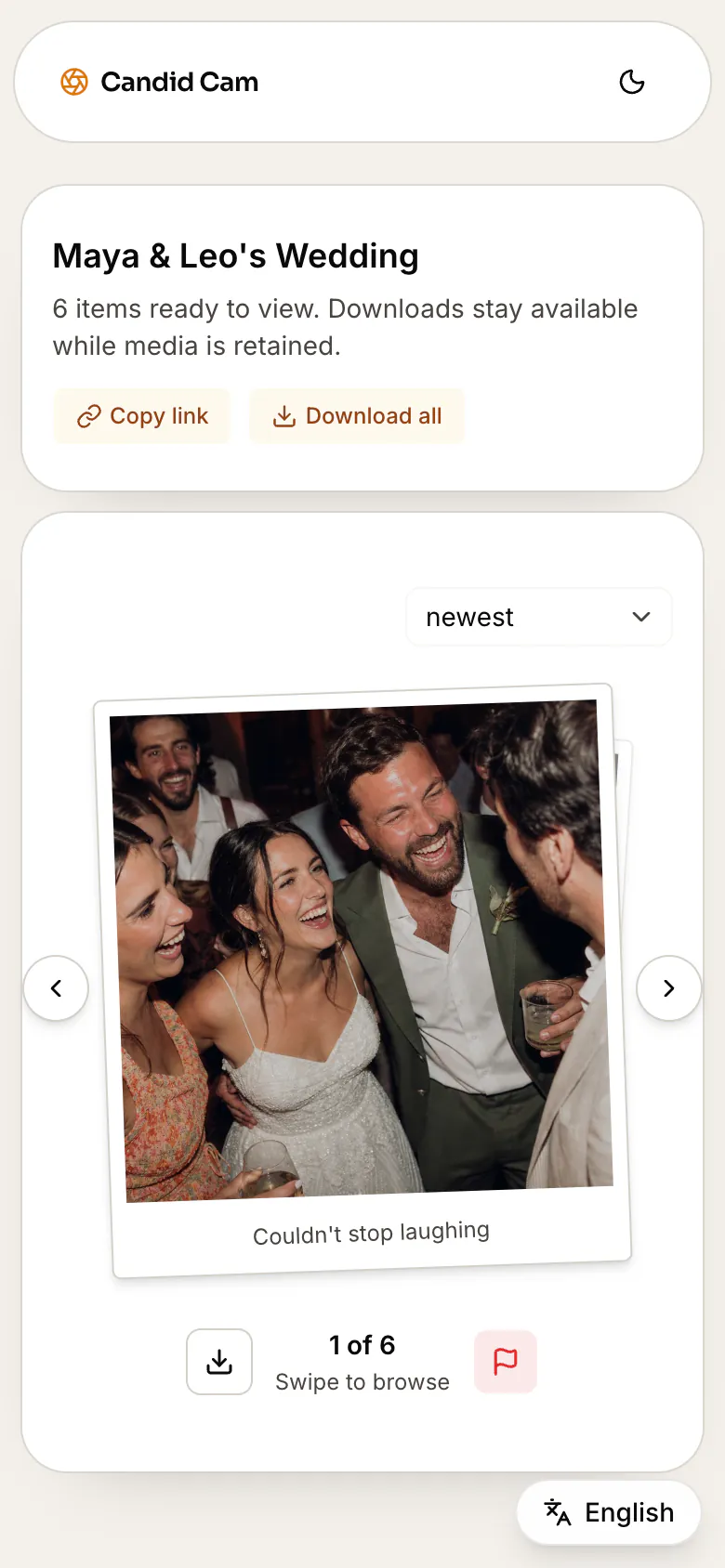
Approve the shots that belong in the final gallery, then share a polished album link after the wedding.

No app for guests

The easier the upload path feels on the dance floor, the more guest photos you actually collect.

Photo and video support

Look for both stills and short clips, because speeches, entrances, and dance-floor moments are often video.

Private review

A wedding gallery should not become a public feed before the couple has seen what was uploaded.

Shareable final album

The collection flow should end in a polished album, not a folder full of unsorted files.

Build the collection path

Link the app, QR code, signage, and album plan together.

Couples rarely search only one phrase. These guides answer the surrounding planning questions so the wedding photo sharing app page is part of a useful cluster, not a lonely landing page.

Wedding photo sharing

Start with the broad guest photo sharing plan, then choose app, QR, website, or album details.

Wedding photo app for guests

Choose a guest-friendly upload flow with no app download, QR signs, reminders, and review.

No-app wedding photo sharing

Give guests a browser upload path for QR signs, reminders, private review, and album delivery.

Wedding photo upload app

Focus the app comparison on guest uploads, QR scans, private review, and final album delivery.

Event photo sharing app

Use one no-app QR upload flow for weddings, parties, reunions, and other events.

Best wedding photo sharing apps

Compare QR upload apps, no-app sharing, private review, reminders, and album delivery.

Wedding photo booth alternative

Compare booth rentals and DIY booths against a QR upload album guests can use anywhere.

Wedding photo sharing website

Give guests one browser destination for QR scans, uploads, review, and album delivery.

Wedding photo QR code

Use one QR code for wedding guest photos, videos, private review, and album sharing.

Wedding photo sharing QR code

Connect the scan, browser upload, private review, and final album in one sharing flow.

Wedding hashtag alternative

Replace public social tags with a private QR upload link guests can use without posting.

Collect photos from guests

Plan the before, during, and after reminders that make guests actually upload.

Wedding guest photo upload

Create the guest-facing upload page for photos, videos, review, and album delivery.

QR sign wording

Copy short wedding sign wording for no-app guest photo uploads.

Google Photos QR code

Compare a DIY shared album against a purpose-built wedding upload flow.

Google Drive wedding photo sharing

Compare shared Drive folders and QR links against a no-app guest upload flow.

Dropbox wedding photo sharing

Compare shared-folder uploads against no-app QR guest photo collection.

GuestPix alternative

Compare competitor-alternative fit, guest upload friction, private review, and reminders.

GuestCam alternative

Compare event-photo collection, guest friction, private review, and wedding handoff.

GuestIcon alternative

Compare planning-suite extras against a focused no-app guest upload flow.

The Guest app alternative

Replace a retired guest photo app with a QR upload flow guests can use instantly.

WedPics alternative

Replace an older wedding photo app with modern QR upload and private review.

WedUploader alternative

Compare upload destinations, QR sharing, guest friction, and final album handoff.

Wedibox alternative

Compare all-in-one wedding QR tools against focused no-app guest photo collection.

WeddingMix alternative

Compare wedding photo sharing packages against no-app QR guest uploads.

Wed.tv alternative

Compare QR wedding photo sharing tools against no-app browser uploads.

Wedding Photo Swap alternative

Compare app-style guest sharing against no-app QR wedding photo uploads.

Eversnap alternative

Compare private event photo apps against no-app browser guest uploads.

Kululu alternative

Compare live photo walls and digital albums against private wedding guest upload.

WaldoWed alternative

Compare AI photo delivery and slideshows against no-app private guest upload.

POV camera alternative

Compare digital disposable camera apps against no-app QR guest photo upload.

Disposable camera alternative

Compare QR photo collection against film cameras, instant cameras, and group chats.

Wedding photo sharing FAQ

Questions couples ask before choosing a photo sharing app.

What is the best wedding photo sharing app?

The best wedding photo sharing app is usually the one guests will actually use. For most weddings, that means browser upload, no app download, one QR code, photo and video support, private review, and a final album link.

Can guests upload wedding photos without downloading an app?

Yes. With Candid Cam, guests scan a QR code or open a link, then upload wedding photos and videos from their phone browser without creating an account.

Is there a free wedding photo sharing app?

Candid Cam is free to set up, and guests do not pay to upload. Couples can prepare the wedding album first and activate the live guest QR when the event is ready.

Is a QR code better than a wedding hashtag?

A hashtag can help people find public social posts, but it does not reliably collect private camera-roll photos. A QR upload page is better when the goal is one private album of guest photos and videos.

Can guests upload videos too?

Yes. Candid Cam is built for guest photos and videos, so the album can include clips from speeches, entrances, dancing, and behind-the-scenes moments.

Can we review photos before sharing them?

Yes. Uploads stay in a private queue until the host approves what belongs in the shared wedding album.

Give guests the easiest way to send the photos you missed.

Create the wedding album, print one QR code, and collect the guest photos and videos that never make it into the professional gallery.